//
🤖 Read the SystemsArchitect.io Blog for over 100+ cloud architecture articles 🔥
Recipe
// Simple state machine with useReducer
type FetchState =
  | { status: "idle" }
  | { status: "loading" }
  | { status: "success"; data: unknown }
  | { status: "error"; error: Error };

type FetchEvent =
  | { type: "FETCH" }
  | { type: "RESOLVE"; data: unknown }
  | { type: "REJECT"; error: Error }
  | { type: "RESET" };

function fetchReducer(state: FetchState, event: FetchEvent): FetchState {
  switch (state.status) {
    case "idle":
      if (event.type === "FETCH") return { status: "loading" };
      return state;
    case "loading":
      if (event.type === "RESOLVE") return { status: "success", data: event.data };
      if (event.type === "REJECT") return { status: "error", error: event.error };
      return state;
    case "error":
      if (event.type === "FETCH") return { status: "loading" };
      if (event.type === "RESET") return { status: "idle" };
      return state;
    case "success":
      if (event.type === "FETCH") return { status: "loading" };
      if (event.type === "RESET") return { status: "idle" };
      return state;
  }
}

const [state, send] = useReducer(fetchReducer, { status: "idle" });
When to reach for this: When a component has multiple states with constrained transitions (e.g., a multi-step form, async workflow, or modal with loading/error/success). If you find yourself juggling multiple booleans like isLoading, isError, isSuccess, use a state machine instead.
Working Example
import { useReducer, useCallback, type ReactNode } from "react";

// --- Multi-step form state machine ---

interface FormData {
  name: string;
  email: string;
  plan: string;
}

type FormState =
  | { step: "details"; data: Partial<FormData> }
  | { step: "plan"; data: Partial<FormData> }
  | { step: "review"; data: FormData }
  | { step: "submitting"; data: FormData }
  | { step: "complete"; data: FormData }
  | { step: "error"; data: FormData; error: string };

type FormEvent =
  | { type: "NEXT"; fields: Partial<FormData> }
  | { type: "BACK" }
  | { type: "SUBMIT" }
  | { type: "SUCCESS" }
  | { type: "FAIL"; error: string }
  | { type: "RETRY" };

function formReducer(state: FormState, event: FormEvent): FormState {
  switch (state.step) {
    case "details":
      if (event.type === "NEXT") {
        return { step: "plan", data: { ...state.data, ...event.fields } };
      }
      return state;

    case "plan":
      if (event.type === "NEXT") {
        const data = { ...state.data, ...event.fields } as FormData;
        return { step: "review", data };
      }
      if (event.type === "BACK") return { step: "details", data: state.data };
      return state;

    case "review":
      if (event.type === "SUBMIT") return { step: "submitting", data: state.data };
      if (event.type === "BACK") return { step: "plan", data: state.data };
      return state;

    case "submitting":
      if (event.type === "SUCCESS") return { step: "complete", data: state.data };
      if (event.type === "FAIL") {
        return { step: "error", data: state.data, error: event.error };
      }
      return state;

    case "error":
      if (event.type === "RETRY") return { step: "submitting", data: state.data };
      if (event.type === "BACK") return { step: "review", data: state.data };
      return state;

    case "complete":
      return state; // Terminal state
  }
}

function SignupWizard() {
  const [state, send] = useReducer(formReducer, {
    step: "details",
    data: {},
  });

  const handleSubmit = useCallback(async () => {
    send({ type: "SUBMIT" });
    try {
      await fetch("/api/signup", {
        method: "POST",
        body: JSON.stringify(state.step === "review" ? state.data : null),
      });
      send({ type: "SUCCESS" });
    } catch (err) {
      send({ type: "FAIL", error: (err as Error).message });
    }
  }, [state]);

  switch (state.step) {
    case "details":
      return (
        <DetailsStep
          data={state.data}
          onNext={(fields) => send({ type: "NEXT", fields })}
        />
      );
    case "plan":
      return (
        <PlanStep
          data={state.data}
          onNext={(fields) => send({ type: "NEXT", fields })}
          onBack={() => send({ type: "BACK" })}
        />
      );
    case "review":
      return (
        <ReviewStep
          data={state.data}
          onSubmit={handleSubmit}
          onBack={() => send({ type: "BACK" })}
        />
      );
    case "submitting":
      return <LoadingSpinner message="Creating your account..." />;
    case "error":
      return (
        <ErrorDisplay
          error={state.error}
          onRetry={() => send({ type: "RETRY" })}
          onBack={() => send({ type: "BACK" })}
        />
      );
    case "complete":
      return <SuccessMessage data={state.data} />;
  }
}
What this demonstrates:
- Discriminated union types for states - each step carries exactly the data it needs
- Explicit transition guards - events only have effect in the correct state
- Impossible states are unrepresentable - no
isLoading && isErrorconfusion - Side effects (API call) triggered by state transitions, not scattered across effects
Deep Dive
How It Works
- A state machine defines a finite set of states and a finite set of events (transitions) between them.
- Each state determines which events are valid. Invalid events are ignored (or can throw in development).
useReduceris the built-in React primitive for state machines. The reducer function IS the state machine.- Discriminated union types in TypeScript make each state's shape explicit and let the compiler enforce exhaustive handling.
- The
switchonstate.step(orstate.status) acts as the state chart; nestedifchecks onevent.typedefine valid transitions.
Parameters & Return Values
| Concept | Implementation | Purpose |
|---|---|---|
| State | Discriminated union type | Represents all possible states with associated data |
| Event | Union of { type: string; ... } | All possible inputs that trigger transitions |
| Reducer | (state, event) => state | Pure function defining the state machine logic |
| Dispatch | send(event) | Trigger a state transition |
Variations
Guard conditions - allow transitions only when conditions are met:
case "details":
  if (event.type === "NEXT") {
    if (!event.fields.name || !event.fields.email) {
      return { ...state, validationError: "All fields required" };
    }
    return { step: "plan", data: { ...state.data, ...event.fields } };
  }
  return state;
Using XState for complex machines - when state logic exceeds what useReducer handles cleanly:
import { useMachine } from "@xstate/react";
import { createMachine, assign } from "xstate";

const toggleMachine = createMachine({
  id: "toggle",
  initial: "inactive",
  context: { count: 0 },
  states: {
    inactive: {
      on: {
        TOGGLE: {
          target: "active",
          actions: assign({ count: ({ context }) => context.count + 1 }),
        },
      },
    },
    active: {
      on: { TOGGLE: "inactive" },
    },
  },
});

function Toggle() {
  const [state, send] = useMachine(toggleMachine);
  return (
    <button onClick={() => send({ type: "TOGGLE" })}>
      {state.value} (toggled {state.context.count} times)
    </button>
  );
}
TypeScript Notes
- Use discriminated unions (tagged unions) for state types. The discriminant (e.g.,
step,status) enables type narrowing. - Always make the
switchexhaustive. TypeScript will warn if you miss a state when the return type is specified. - Avoid
booleanfields on state objects - they create 2^n possible states. Use explicit named states instead. - XState v5 has first-class TypeScript support with
typegenfor inferred event types.
Gotchas
-
Boolean soup - Using
isLoading,isError,hasDataas separate booleans creates impossible combinations likeisLoading && isError. Fix: Replace with a single discriminated union state. -
Side effects in the reducer - Reducers must be pure functions. API calls or DOM mutations inside the reducer break React rules. Fix: Trigger side effects outside the reducer based on state transitions (in event handlers or effects).
-
Forgetting the default return - If the reducer doesn't handle an event in a given state and doesn't return
state, the state becomesundefined. Fix: Always addreturn stateas the default for unhandled events in each state case. -
Over-engineering simple state - A toggle that's either on or off doesn't need a state machine. Fix: Use
useState(false)for trivial two-state scenarios. Reach for machines when you have 3+ states or complex transitions.
Alternatives
| Approach | Trade-off |
|---|---|
useReducer state machine | Built-in, no deps; manual transition logic |
| XState | Powerful, visual tooling; extra dependency, learning curve |
Multiple useState booleans | Simple for 1-2 states; impossible states become possible |
| Zustand with state field | Good for global state machines; not React-specific |
useActionState (React 19) | Designed for form submission flows; limited to form actions |
FAQs
What is a state machine in the context of React UI logic?
- A state machine defines a finite set of states and a finite set of valid transitions between them.
- Each state determines which events are accepted. Invalid events are ignored.
useReduceris the built-in React primitive for implementing state machines.
Why are discriminated union types important for state machines?
type FetchState =
  | { status: "idle" }
  | { status: "loading" }
  | { status: "success"; data: unknown }
| { status: "error"; error: Error };- Each state carries exactly the data it needs (e.g.,
dataonly exists onsuccess). - TypeScript narrows the type when you switch on the discriminant (
status), preventing access to invalid fields. - Impossible states like
isLoading && isErrorbecome unrepresentable.
When should you use a state machine instead of multiple `useState` booleans?
- When you have 3 or more states with constrained transitions.
- When juggling booleans like
isLoading,isError,isSuccesscreates impossible combinations. - A simple two-state toggle does not need a state machine;
useState(false)is sufficient.
How does the reducer function act as the state machine?
- The outer
switchonstate.step(orstate.status) defines which state you are in. - Nested
ifchecks onevent.typedefine which transitions are valid in that state. - The default
return stateignores events that are not valid for the current state.
Gotcha: Why must reducers be pure functions?
- React may call reducers multiple times during rendering (strict mode, concurrent features).
- Side effects like API calls or DOM mutations inside the reducer break React rules and cause unpredictable behavior.
- Fix: trigger side effects in event handlers or
useEffectbased on state transitions.
Gotcha: What happens if the reducer forgets to return `state` for unhandled events?
- The state becomes
undefined, which can crash the component or cause silent bugs. - Always add
return stateas the default case for each state in the switch statement. - TypeScript can help catch this with an explicit return type on the reducer.
How do you add guard conditions to state transitions?
case "details":
  if (event.type === "NEXT") {
    if (!event.fields.name || !event.fields.email) {
      return { ...state, validationError: "All fields required" };
    }
    return { step: "plan", data: { ...state.data, ...event.fields } };
  }
return state;- Check conditions before performing the transition.
- Return a modified current state (e.g., with an error) if the guard fails.
How do you make TypeScript enforce exhaustive state handling?
- Specify the return type on the reducer function explicitly.
- TypeScript will warn if you miss a case in the switch statement.
- Use a
nevercheck in the default case to catch unhandled states at compile time.
When should you use XState instead of `useReducer`?
- Use XState for complex machines with parallel states, hierarchical states, or delayed transitions.
- XState provides visual tooling (state chart editor) and first-class TypeScript support.
- For simple linear flows,
useReduceris sufficient and has zero dependencies.
Why should you avoid boolean fields on state objects?
nboolean fields create2^npossible combinations, most of which are invalid.- Example:
{ isLoading: true, isError: true }is an impossible state that booleans allow. - Fix: use a single discriminated union with named states like
"idle" | "loading" | "error" | "success".
How do you handle side effects like API calls triggered by state transitions?
- Perform the API call in the event handler or in a
useEffectthat watches the state. - Dispatch events like
SUCCESSorFAILbased on the API response. - Keep the reducer pure; it only computes the next state.
Related
- Controlled vs Uncontrolled - State ownership patterns these machines often manage
- Error Boundaries - Error states in the component tree
- Suspense - React's built-in loading state machine
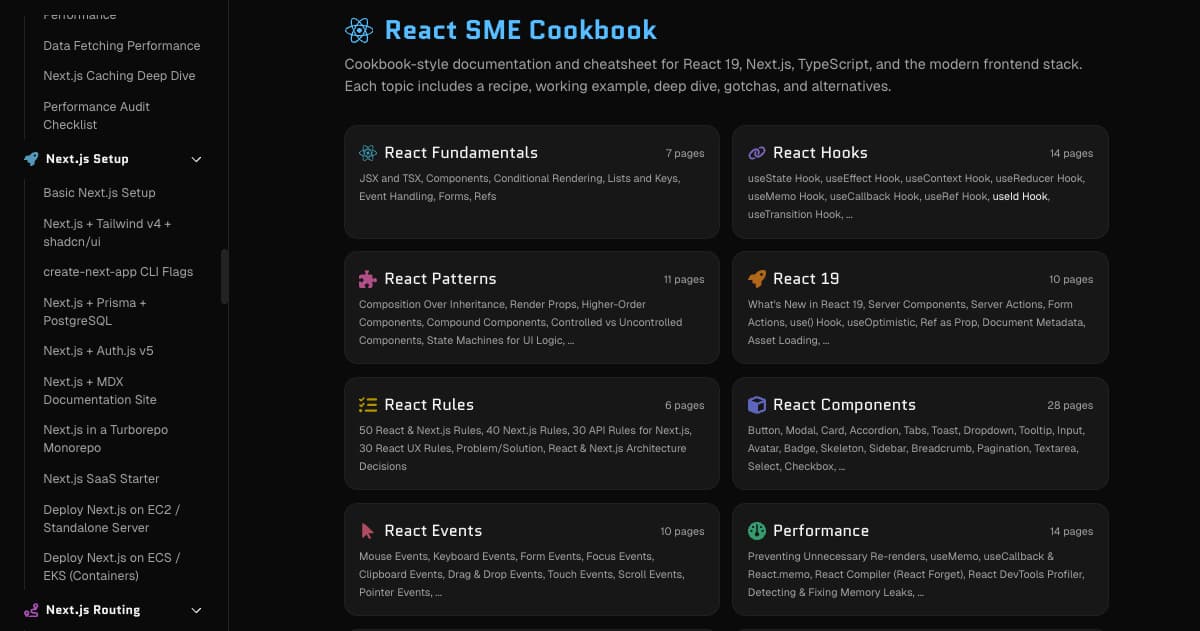 React SME Cookbook screenshotAuthor: Chris St. JohnSource: UnsplashLicense: Unsplash LicensePhoto: Chris St. John (Unsplash)
Reviewed by Chris St. John·Last updated Jul 16, 2026
Was this article helpful?
🤖 Read the SystemsArchitect.io Blog for over 100+ cloud architecture articles 🔥